


Animate your product photos with our AI Video Generator
Turn any static product photo into a short motion video automatically. No video editing skills or reshoots required: just fast, realistic results ready for every sales channel.
Use video to capture attention where static photos can’t
Turn product images into high-converting animated videos
Convert product images into videos without switching tools
Create ready-to-share videos for e-commerce with zero design skills
Showcase your products in motion across every channel
Real results from brands and marketplaces using Photoroom
96%
average boost in sales
93%
reduction in photo editing costs
56%
uplift in sell-through rate
99%
visual branding compliance achieved
How to animate product photos with Photoroom
Step 1
Choose a product photo
Go to the Content tab in your Photoroom app to choose an existing design or upload a new product image.
Step 2
Select Create Animation
Click into the image you want to add motion to, select Create Animation, and then choose an animation style (glide, 360, sweep, etc.).
Step 3
Export your AI-generated video
We’ll notify you in-app as soon as your video is ready, then you can view and download it from the Animations folder.
All the AI product photography tools you need
Keep your brand looking sharp and consistent with Photoroom’s AI product photography tools.

Erase photo backgrounds
Instantly remove any background and replace it with a studio-quality backdrop that professionally showcases your products.

Generate AI backgrounds
Generate custom product photo backgrounds with AI or change background colors while maintaining visual brand identity.

Create lifestyle images
Help customers imagine your products in use by placing them in real-life scenes with Photoroom’s Product Staging AI tool

Enhance and resize images
Adjust brightness, resolution, remove unwanted objects, and resize your e-commerce images for various sales channels.

Visualize products on AI models
Show customers how your products fit on diverse, AI-generated models with Photoroom’s Virtual Model tool.

Export and share
Export ready-to-use AI product photography for your website, marketplace listings, and other sales outlets.

Refine product shots with AI
Upload a product photo to automatically enhance lighting, details, and color in seconds with Photoroom’s Product Beautifier tool.

Adapt image orientation
Resize and expand product photo backgrounds from portrait to landscape and vice versa without losing image quality.

Automate workflows (API)
Save time and simplify visual asset editing and management by connecting Photoroom’s API directly with your website or marketplace.

Add text to a photo
Customize your images with text overlays. Choose from a variety of styles to create engaging messages.

Edit images in batches
Save time by batch editing hundreds of images. Apply the same backgrounds, effects, or resizing options in just a few clicks.

Collaborate with your team
Keep projects moving by sharing designs and feedback with your team in real-time.

Create a brand kit
Store your logos, fonts, and colors in one place to keep your branding consistent and unified with Brand kit.


Access anywhere
Edit and manage your brand’s visuals from any desktop or mobile device.
Photoroom is loved by companies of all sizes
See real stories from businesses like yours.
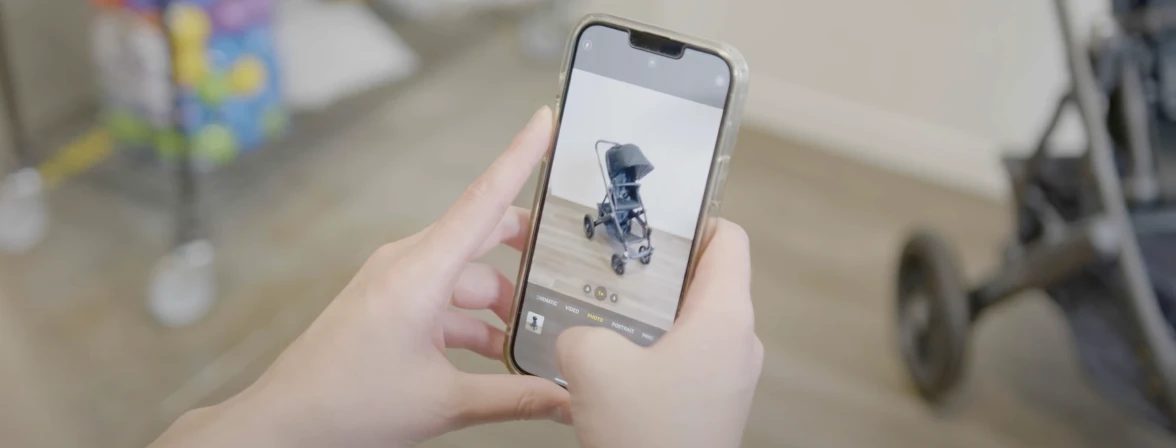

Customer story
Customer story

Audra Jones
Product Owner at GoodBuy Gear
Read story


Customer story
Customer story

Pam East
Founder, Pam East Designs
Read story


Customer story
Customer story

Nick Hawkins
Founder, The 1994 Candle Co.
Read story
Explore more AI product photography tools


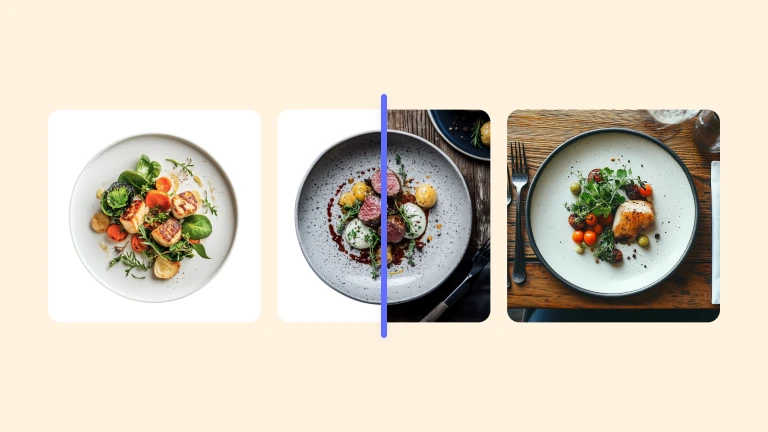
AI video generator: your questions answered
How can I turn a photo into a video with AI?
What makes Photoroom’s AI Video Generator different from other tools?
Can I animate any image with Photoroom?
What is an image-to-video converter?
What is the best product image to product video tool?
How fast can I create a product video from an image?
Can I create videos from text with Photoroom’s AI Video Generator?